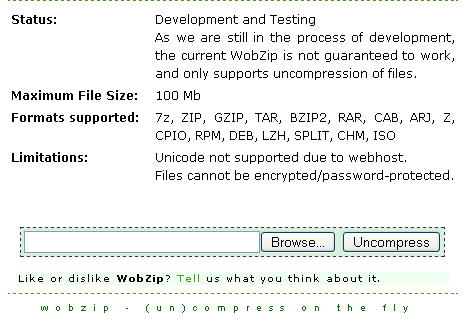
 We’ve heard online photo editors, online document editors now its Wobzip.Suppose you are in a cafe browsing on a public system, or your school library system which has no compression software installed and you have a compressed file to access.What do you do?? Wobzip is an online file extractor. You can uncompress 7z, ZIP, GZIP, TAR, BZIP2, RAR, CAB, ARJ, Z, CPIO, RPM, DEB, LZH, SPLIT, CHM, ISO file types.To extract you can either specify a file on your computer or directly from an URL.The max size of the compressed file being 100MB.As the file size increases the overhead for waiting for the files to be extracted also increases.Another limitation is that files cannot be encrypted/password-protected. As it is still in its development stage, the current WobZip is not guaranteed to work, and only supports uncompression of files.But definitely a great online service.


Some online services are just getting crazy. I think that it’d be a lot easier to carry around 7Zip portable on a thumbdrive then to mess with this.
A very useful utility indeed.. Most of my college computers lack winzip or winrar and I was thinking of a way out!
Thanks for sharing!
@ Jake Such a tool could be useful to only few users, unless it is as powerful as an offline tool.
@Vijay Nice that its useful to you.
Nice tool thanks Venkat.
wow !!
its very reasonable article.
Nice post.
realy gj
thx 🙂