In this age of technology data is gold, so we need tools for securing our data more efficiently.
Here are 3 tools for securing your data, 3 tools for 3 types of data.
1.File Encryption – This tool can be used to encrypt files on the Windows platform.
Features
- Four encryption algorithms (Blowfish, AES, MD5, Triple-DES).
- Strong key support, handling and cryptographic implementations.
- Encrypts megabytes of file data per second on modern machines.
Screenshot :
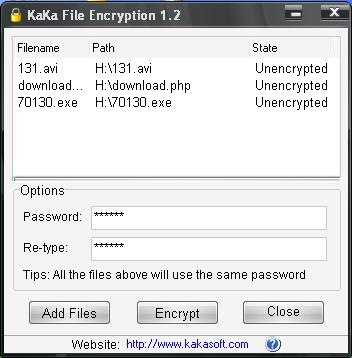
The cons with this tool is that
1. All the files would be having the same password
2.The protection is also a one time protection, when you open a locked file,the protection is removed and the file is no longer protected.
Download FileEncryption from here.
2. Folder Protection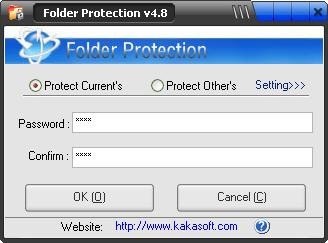
You can encrypt any folder including flash disk and removable hard disk.
Features :
- Fast and Simple:With one-click encryption and decryption. Instant encryption and decryption
- Strong Encryption technology:Using the Strong encryption technology that can effectively protect your data.
- Encrypted folders are protected against copy, deletion or real size check.
Check out the step by step guide on how to use this tool here.
Download FolderProtection from here.
Via – WhoisMadhur
3. ExeLock
This tool lets you password protect Windows executable programs. It works on the program files that are 32-bit Windows-9X/NT/2000/XP/ME executables.When protecting a program, the tool modifies the binary executable itself, so that it first asks for a password and runs the program only if a valid password has been entered.So that it does not matter where you exe file is located ie., on your hard drive, floppy disk, or pen drive.The exe file remains locked even if you run it from plain command line.
Screenshot :
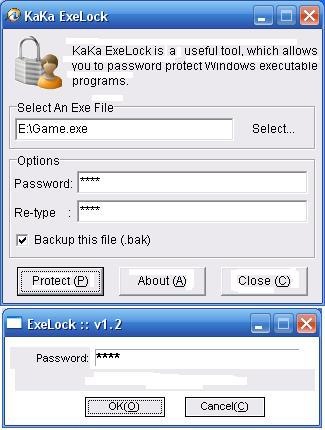
Features :
- 1.Not change the size of protected file.
- 2.Not change the icon of protected file.
- 3.The protected exefile will still work fine in a different machine.
- 4.Safe and efficient.Does not run in the background to provide its functionality.
Download Exelock from here.


thanks for the link love buddy.
Madhur Kapoor’s last blog post..Tech Trouble : Man arrested after mp3 player was mistaken as a gun
Madhur Kapoor » Most welcome.thanks for dropping by my site.
Are these tools free ones? I was searching for one like this, well which is the best of the three?
Nirmal’s last blog post..Windows Vista Tips: Disable Autoplay in Vista
Nirmal » I think the folder protection is the best of the three and yes all the three tools are free.