Links they could be dangerous, malicious so here’s a nifty little FireFox Extension that will change the mouse cursor according to the target of the link the mouse pointer points to.It supports 25 types of links by default.
Though the target of the links is shown in the status bar not many notice the target link and click the links, this extension can be called more of like a warning about the link the user is about to access.You can also add any new file extension and assign a image for the file extension.
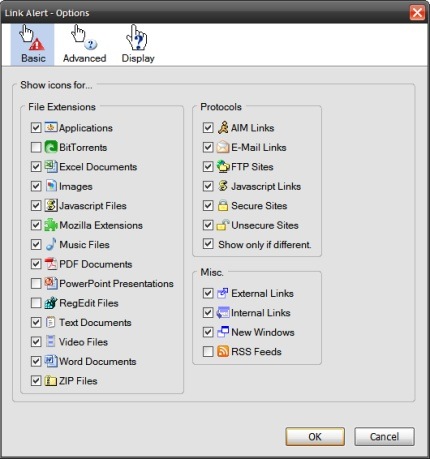
Homepage indicates links to the following by default:
-New Windows
-Secure Sites
-Email Links
-JavaScript
-Word Documents
-Excel Spreadsheets
-PDF Files
-Zip Files
-Applications
-Text Files
-Images
-RSS Feeds
-AIM Links
-and more..
Link Alert is compatible with Firefox: 1.5 – 3.0pre
Download Mozilla Addons


Nice find Venkat, It will definately help all the firefox users.