You might have seen in some blogs/sites where featured posts are placed on the top, such slideshow galleries are generally use to promote posts, You can implement such a featured post gallery in WordPress or in general in any site using these plugins.
Also read about 5 more wordpress plugins for creating featured posts sliders/gallery on your wordpress blogs.
1.Featurific : WordPress plugin that displays featured items, in a beautiful and professional flash gallery, Its available for free for both WordPress and Non-Wordpress Users.


Features :
- Easy to install and highly customizable
- Runs in Flash 8
- 21 Templates to choose from.
- Customizable text, backgrounds, and images
- Works on any server, out of the box
- Runs in any browser
- Based on XML.
- Works on WordPress blogs, and also with general sites.
- Can also be placed in the sidebar.
Download : Featurific
2.FeatPlug : This script can generate ‘featured content’ section for your site using the suitable stories. It can also run as a standalone script or even integrate into any other Blog/CMS/Forum software.
Features :
- Image caching
- Template support ( Uses any JS/Ajax script to output the contents!)
- Layered architecture : input_layer (Standalone, WordPress etc) ? featplug engine ? output theme (simple banners, slide show etc)
- Image enlarging
- Broken Image Checking
- Supports WordPress MU: As of 0.62 release
Usage : In WordPress you can run the plugin in either as a widget or call the following functions directly in your template.
- featplug_wp_render()
- featplug_wp_render_slideshow()
- featplug_wp_render_banners()
3.Featured Content Gallery Plugin v2.0 (FCS) By WPElemets is a script based on Smooth Gallery to display a gallery of featured posts of a single category.This plugin makes use of the Custom Field Option of WordPress, to display the images in the featured gallery of one Category.

Features :
- Single category only suppported.
- Height,Width and Text Overlay values can be configured
- Can be displayed on the WordPress Blog, by using the following php statemet
<?php include (ABSPATH . ‘/wp-content/plugins/content-gallery/gallery.php’); ?>
How To Use :
- Select the category you set within the plugin options page,
- Upload an image to be displayed within the gallery and paste the path to that image in a custom field called “articleimg”.
Download Featured Content Gallery V 2.0
4.Featured Category Slideshow / FCS
This plugin is also based on Smooth Gallery similar to Featured Content Gallery by WPElements.The only difference it that this pulgin always shows the 4 newest posts in the slideshow. Older posts will just be automatically be removed out of the slideshow without being deleted from the blog.

Instructions :
- Create a new category called FCS
- Assign at least 4 posts to the new FCS-category
- Every post has to contain a key called “leadimage” customfield with the value to the image.
- and paste the following code where you want the slideshow to appear
<?php include (ABSPATH . ‘/wp-content/plugins/fcs/gallery.php’); ?>
- You can also make the slideshow to change slides automatically, by changing the “timed: false” to “timed: true” in gallery.php present in the plugin folder.
Featured Category SlideShow(FCS): HomePage | Download .
5.d13slideshow
This WordPress Plugin creates an animated slideshow of a maximun of 10 posts.D13Slideshow makes use of the script.aculo.us and Prototype JavaScript frameworks.The image for the slideshow are automatically extracted from the post for display.
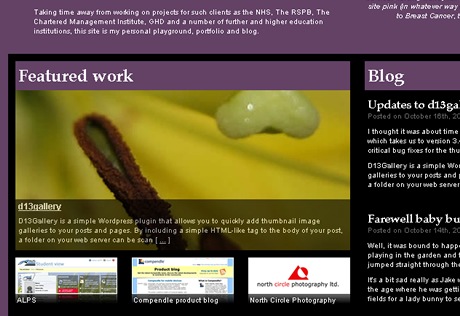
Features :
- Adjustable Height and Width
- Maximum of 10 posts
- Customize the screen time for which each article will be shown.
- You can add a slideshow directly into your theme files using the following line of PHP code:
<?php d13slideshow(); ?>
- For each post you have to have a key “promoimage” and an absolute URL of the image as the value.
d13slideshow Gallery : HomePage | Download
Read about CB-Featured Posts plugin for creating Featured Posts.


without any doubt one of the best articles i have read recently. i am a little envious because i wished to write it myself. anyway i already tried featurific and is very nice. it doesnt fit on my blog but i advse it to all of those epeople who want to impress their readers with professional-like features
web talks last blog post..Windows Vista doesn’t shut down
@web talk: your right, featurific is the best of the lot, for its features.
Thank you so much! This posting is damn useful!! Thank you, I was really looking for such plugins! 😀 Thanks for mentioning the features and giving links to the demo 😀 You’re Great!
The Featured Content Gallery WP plugin has been updated. It’s now got more customization options and is WP 2.7 compatible. Check it out: FeaturedContentGallery.com. Let us know what you think!
Kris Themstrup
iePlexus.com
featured category looks great. I’m just using feature content gallery
Which one would YOU use?
Featured Content Gallery Plugin by WPElements
Thanks for these 5 tips my man! I think I might go out and try them all on my site.
I love the FCG , but it breaks in my current setup.
Anyways would love to know if anyone knows of another featured content type functionality plugin, but with additional functions for allowing featured adsense codebanner ads ???
Featured Content Gallery Plugin v2.0 don’t work in google chrome… please help me
I must tell you guy that I hate Feature Content Gallery.
I tried to used it many many times but it didn’t work.
I’ve never seen 4 others before. I will try it. Hope that it’s useful. Thank you very much.
Just what i was looking for!!! I have been using FCG, but it overloads the whole site incredibly, so i have been looking for an alternative that just consumes less. I’ll try some of this.
nice plugins thanks a lot..
These plugins are very great and practical, except they are quite technical to troubleshoot, although very rare as some plugins are conflict one another. Hope to see more sharing soon. Cheers!
all these crap doenst work!!!
just wasted time
very thanks… this plugin is very useful for me, i will created template with this integrated plugin..
.-= Free web 2.0 template´s last blog ..Arras Theme Premium WordPress Template =-.
Excellent thanks – I was struggling with getting one to work. This post helped!
Nice collection. FeaturedContentGallery is really hard to beat for me.
Hi Thanks for sharing this wonderful information. I am planning to put Featured Galary for my blog.
I tried Feature Content Gallery and it didn’t work at all on my site. It seems to be prone to conflicts with other active plugins – especially jquery-based pluggies.
I want FCS but the website is down. Seems like it’s not around anymore?
Best 2 download links for FCS Featured Content Gallery are now:
http://wordpress.org/extend/plugins/featured-content-gallery/
and
http://www.featuredcontentgallery.com/
I really like the featured content gallery plugin, it looks great, however I never managed to get it working with flexxthemes theme. The mootools that it uses conflicts with jquery. The alternatives listed here just aren´t as nice.
Nice post! Now I can safely implement a Featured Content section in my blog!
Nice post! Awesome gallery. I am sure thats wordpress users gonna have lots of benefits from it. I am using thesis theme in my blog. therefore i got to add some extra code and do some little tricks for it.. for thesis users u can check this tutorial http://freshtutorial.com/dynamic-content-featured-gallery-thesis-theme/
Thanks..
excellent resource. I like the idea of having featured content as a means to draw in the audience to your marketing message. Thanks
Featured Content Gallery is nice, but you can also try Dynamic Content Gallery — looks the same, but can use either mootools or JQuery (to avoid conflicts with other plugins). It’s also got a slightly higher rating. You can install it directly from your WordPress blog (Plugins–Add New) by searching for “Dynamic Content Gallery.” It creates a custom field on your post edit page where you would put the URL of your images, lets you pick one category — or several, or pages — to use for your features, and you can adjust the size, timing, colors, and all other elements from the settings panel. To have it show up, past one line of code into the template where you want the gallery to appear.
— Maria
thanx for the great post! I’ve been looking for a good plugin like this for a while and your list hooked me up with some options!
thanks for such great post, really useful. Thanks
FCG is nice, iam using the same.
Hi
Thanks for the tips. I really like d13slideshow! What is the plugin called for the fixed
“bookmark and share” box that you have displayed at the bottom of this blog? Its a great addition and would love to add it to my blog at stuartfelkner.com.
Thanks.
Great. I am going to add it to my blog right away. Do you have any suggestions fit a featured blog content slide show widget? D13slideshow isn’t working for me anymore. I am currently tinkering with islidex which offers a very Apple like aesthetic. Any suggestions?
Hi, I just loved the d13 slideshow. I am preparing lists of featured posts wordpress plugins. I finished my first list and am onto the second one. By the way I loved the way you greeted as well. You welcome visitors from Google as googlers andfrom Bing as Bing decision maker. Greeting a visitor in such a fashion will definitely make him feel warm. Your site will go into my next list of Feel the difference in my blog.
great post. i was looking for these type of plugin. finally i got it from here. thank you dear. just bookmarked your blog.